
Native apps — Tuner and AI
SkillFishOS's graphical tools for controlling hardware and AI without a terminal.
SkillFishOS includes two native applications (written in PyQt6, themed with Kvantum) that put hardware and AI-stack control in the user’s hands without touching the terminal.
SkillFishOS Tuner
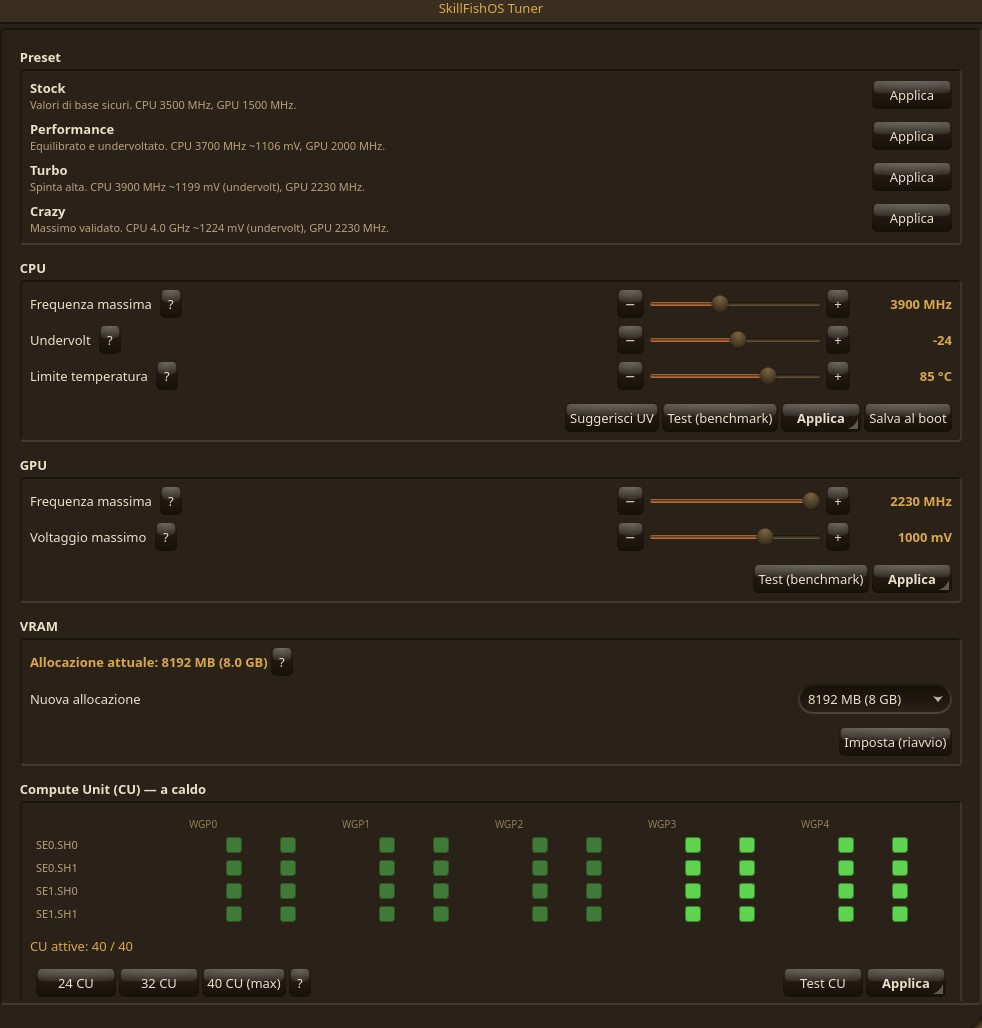
The Tuner is the hardware control panel. It lets you adjust:
- CPU overclock and undervolt;
- GPU safe-points (via the SMU governor, see GPU and overclock);
- the fan (PWM control);
- the UMA VRAM (requires a reboot);
- the Compute Units, live — see below.
Live Compute Units (grid)
The Tuner shows the GPU’s CUs as a grid of squares (4 SE/SH rows × 5 WGP): green = active, red = off. You toggle them live, no reboot — click the pairs (1 WGP = 2 CU) or use the 24 / 32 / 40 CU presets — then Apply. The first 24 CUs are the driver minimum and stay always on (see GPU and overclock).
CU test (silicon lottery)
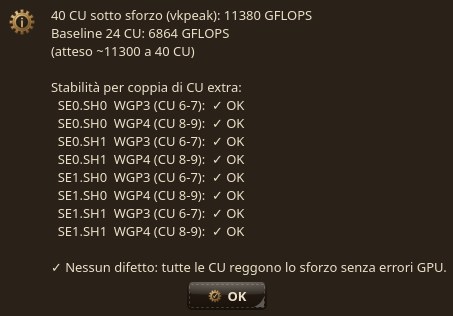
The “CU test” button checks the health of the extra CUs: it enables each pair alone, stresses it with vkpeak and watches for GPU faults/hangs, plus a final full-40 stress. It’s there to catch defective CUs on salvaged/“discard” APUs, so you know whether your chip sustains all 40 CUs.
“Test” flow and live monitor
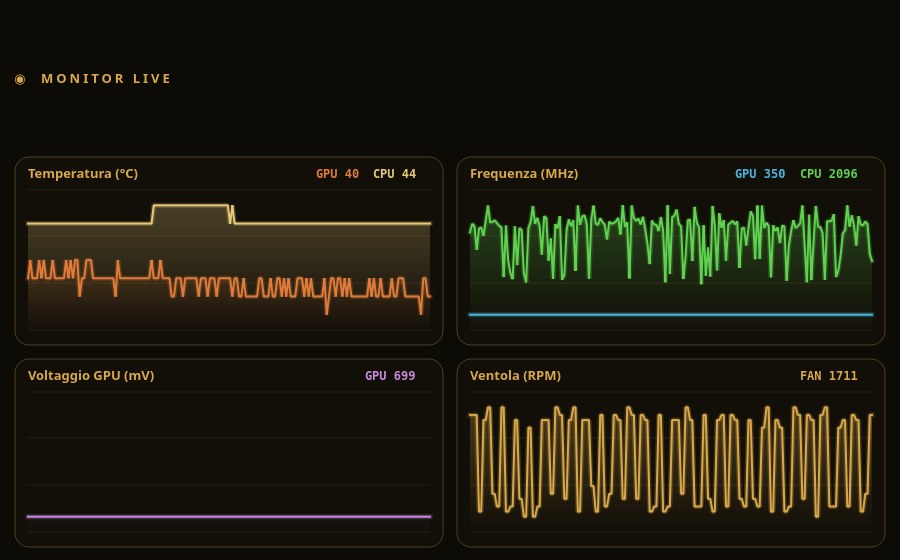
The “Test” flow (CPU, GPU, CU, fan): apply a change → run a benchmark → verify stability and, if something is wrong, perform an automatic rollback. When any test starts, a Monitor window opens with live charts of temperature, frequency, voltage and fan (closable at will).
Architecture: a user GUI plus a small root daemon that performs the privileged operations. On a personal PC it is configured not to ask for a password on every operation. The desktop HUD also shows the active CUs live.
Governor modes: Balanced and Performance
The BC-250 GPU is driven by an SMU governor that raises and lowers the clock with load. The Tuner exposes two modes via a toggle:
- Balanced (default) — the clock drops at idle (down to 350 MHz) and rises under load: lower power and temperatures in everyday use.
- Performance — the GPU stays pinned to its top clock as soon as there’s load, removing frequency micro-oscillations. In our Black Myth: Wukong benchmark this is worth +11% FPS (from ~100 to ~111 average) and a higher 1% low (92 → 102), everything else equal.
Both stay under the 85 °C thermal cap: Performance mode pushes harder, it doesn’t disable the protections.
Find my max (CPU and GPU wizards)
Every BC-250 is different (silicon lottery). The Tuner includes two “Find my max” wizards that characterize your board:
- GPU — steps up (2000 → 2200 MHz, 50 MHz steps), applying and testing each rung, stopping at the last stable one.
- CPU — walks the frequency/undervolt rungs (from 3600 MHz up to 4000 MHz @ scale −36) with the same test-and-rollback scheme: if a step doesn’t hold, it returns to the last good value.
Everything is crash-safe: the working value on disk is always the last stable one, so a freeze mid-test never leaves the board on an unstable profile at the next boot.
My silicon
The “My silicon” panel sums up your board’s profile — best CPU and GPU found, healthy CUs, detected-freeze counter — and lets you share the result anonymously to the silicon-lottery database (it opens a pre-filled GitHub issue). The more data we gather, the better the recommended profiles get for everyone.
SkillFishOS Telemetry
Telemetry shows temperature, frequency, CPU/GPU load, voltages, power draw and fan in real time. It opens automatically during Tuner tests, but it’s also a standalone app. The REC button records a benchmark session to a .sfmon file (in ~/SkillFishOS-benchmarks/): re-open it and Telemetry becomes an analyzer with a time scrubber to review the run second by second.
SkillFishOS AI
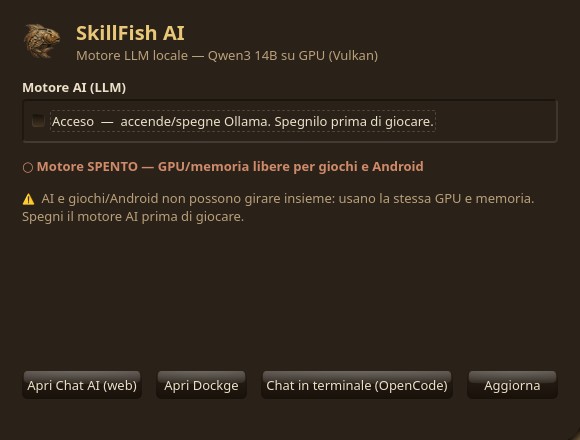
The AI panel turns the local LLM stack on and off with one click, freeing GPU and RAM for games when not needed. It’s the “easy” front-end of the stack described in On-device AI.
Why they exist
SkillFishOS’s goal is that anyone — including the youngest — can use and tune the system without having to learn terminal commands. These apps translate complex operations (SMU governor, kernel parameters, Docker containers) into a few clicks, while keeping the safeguards (thermal-guard, test-and-rollback) always active.
Sources
- PyQt6 / Qt for Python · Kvantum
- sysbench · vkpeak
- Project repository — github.com/MTSistemi/SkillFishOS (
apps/tuner,apps/ai-panel)